World of Books
- 4.3
- Rating
- 100.00K
- Installs
- Free
- Price

 Analysis by App-foxy
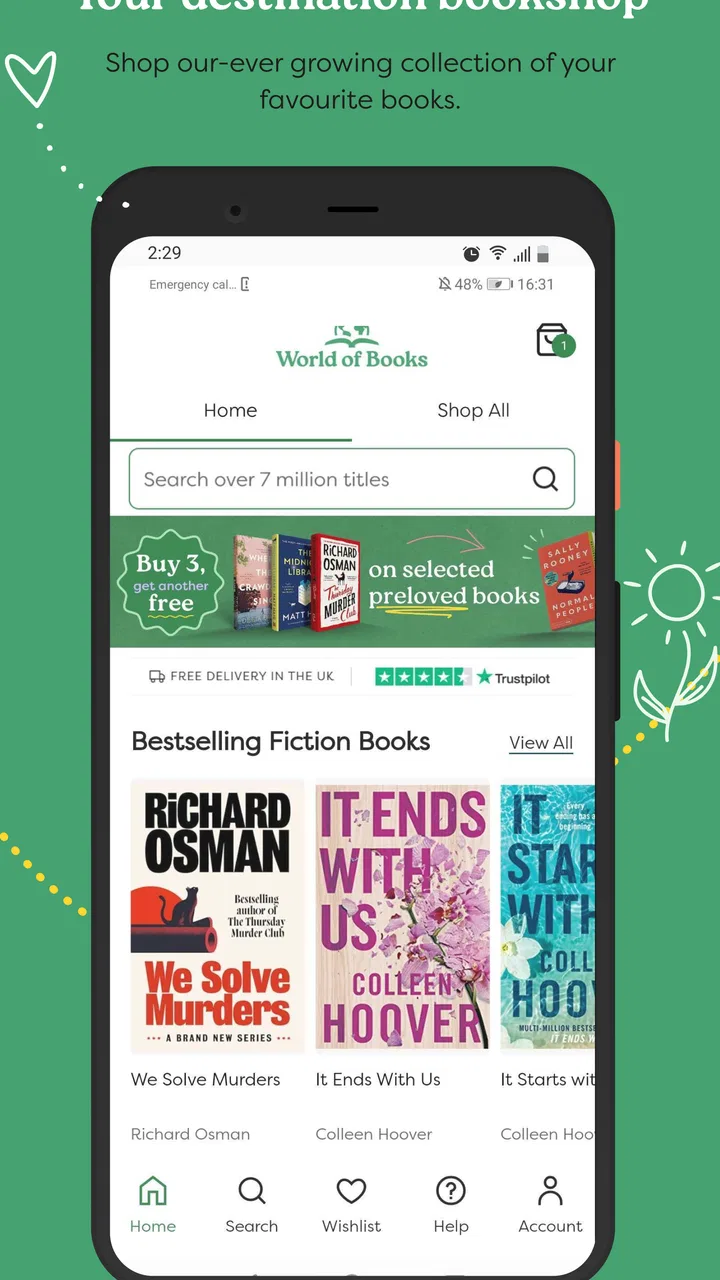
Buying a second-hand book sounds simple until a search becomes awkward, a title appears in several editions, or you are trying to decide whether a used copy is worth ordering instead of choosing a new one. I spent time with World of Books to see how well it fits that everyday task. It is a free Books & Reference app from World of Books, aimed at people looking for new and used books rather than readers who want an all-purpose reading platform.
That distinction matters. This is not the sort of app I would open to read an ebook, annotate a novel, or replace a dedicated library app. I see it as a shopping and discovery tool for physical books, especially when price, availability, and the possibility of buying used matter more than having the newest edition. The experience is straightforward when the book is easy to identify, but it benefits from a careful approach when several versions of the same title appear.
Finding the right book without getting stuck
The first useful habit is to search with more than a vague title whenever possible. A popular book may have hardback, paperback, large-print, study, anniversary, or translated editions. If I search only by the main title, I have to slow down and inspect the result rather than assuming the first match is the one I want. Adding the author’s name, or checking the cover and format shown on the item page, makes the decision much safer.
You May Also Like

 Blood Strike: 2.5 Anniversary
Blood Strike’s Loadouts Turn Every Drop Into a Tactical Gamble
A close look at Blood Strike’s custom loadouts: how fast access to signature weapons reshapes its battle royale rhythm, rewards preparation, and narrows the gap between fights.

 Pandora - Music & Podcasts
Pandora’s Music Is Easy to Start, but Harder to Recover
Pandora’s strength is its low-effort path from a seed to a station. Its weak spot is how much confidence it asks you to place in connection, setup, and quiet recovery.

 8 Ball Pool
8 Ball Pool Is Built on Rivalries, Rematches, and Routine
A close look at the rivalries, rematches, shared routines, and unanswered safety questions that turn a quick pool match into a persistent mobile community.

 Samsung Music
Samsung Music’s Quiet Strength Is Playing What You Already Own
Its reach comes less from spectacle than from dependable access to a personal library. That simplicity is both the app’s strongest retention engine and its ceiling.

 AccuWeather: Weather Radar
AccuWeather Review: A Quick, Clear Forecast for Everyday Decisions
For everyday plans, the best forecast is the one you can understand quickly. AccuWeather makes rain timing, radar, and local conditions easy to act on, with a few trade-offs.

 Hill Climb Racing
Why Hill Climb Racing Still Turns Crashes Into One More Run
A tiny car, a bumpy hill and one more upgrade: Hill Climb Racing keeps resurfacing because its simple chaos makes every near-miss feel personal.
More From Our News Desk



This is one of the main places where a used-book app differs from a normal bookstore app. With a new-book retailer, the edition is often presented as the central product. With second-hand stock, the same work can be represented by multiple physical copies or editions, and the condition becomes part of the buying decision. I would therefore treat the search result as the beginning of the process, not the final answer.
For a casual reader, that extra checking may feel like friction. For someone building a collection, studying a subject, or trying to match a book already owned, it is useful discipline. I found the app most convincing when I approached it with a specific goal: locate a particular title, compare the available presentation, and decide whether a used copy is acceptable. It is less compelling if I only want endless recommendations with no intention of buying.
A practical example is a weekend reading plan. Suppose I want a novel for a trip but do not care whether the cover is current. I can search the title, compare the available result details, and choose a used copy if the edition is suitable. If I need a particular page layout for a course, however, I would not rely on the title alone. I would verify the edition information carefully before placing an order.
The most important trade-off is lower-cost discovery versus edition certainty. Used books can be excellent value, but the buyer has to pay more attention to what is actually being selected. That is not a flaw unique to this app; it is part of shopping for pre-owned books. The app makes that process accessible, but it cannot remove the need for a careful reader.
What I check before choosing a used copy
I look at the title, author, cover, format, and any identifying publication details shown for the result. I also consider why I am buying the book. For a beach read, minor cosmetic wear may not matter. For a gift, a shelf collection, or a reference book that must match other volumes, appearance and edition carry more weight.
This approach also helps avoid a common mistake: comparing a used paperback directly with a new hardback as though they were identical products. They may contain the same text, but they can differ in size, durability, illustrations, notes, or portability. I would make the comparison based on the purpose of the purchase, not just the headline price.
If I am shopping for children, I would be especially careful with age suitability and format. The app itself carries an Everyone content rating, which makes it broadly suitable as an app for general audiences. That does not mean every book listed inside is appropriate for every child, so the adult still needs to choose the individual title responsibly.
Setup checks that prevent avoidable problems
Getting started should be uncomplicated because the app is free and supports Android devices from version 7.1 onward. Before blaming the app for a blank screen, failed search, or interrupted loading, I would first check that the device has a stable connection and that the application has finished installing correctly. These are basic steps, but they resolve many problems that can otherwise look like a catalog issue.
I would also make sure the app is running its current version, listed as version 80. Keeping it updated is sensible when a shopping catalog behaves unexpectedly, since an older installation can handle screens or connections less reliably than the current release. If the app was installed a long time ago, closing it fully and reopening it after an update is a worthwhile first reset.
Another useful setup check is to begin with one simple search instead of testing several complicated phrases at once. Searching a clear title and author gives me a baseline. If that works, I can then try a broader query. This separates a genuine loading problem from a search that is simply too ambiguous or too narrow.
I would avoid making a decision from a partial screen. If details are still loading, I would wait briefly, refresh the view, or reopen the result before comparing books. A slow connection can make a product appear incomplete even when the catalog entry itself is fine. Switching between a reliable Wi-Fi connection and mobile data can also help identify whether the issue is local to the network.
Because this is a book-shopping app rather than a reading app, I would not waste time looking for offline reading controls or ebook settings. That expectation mismatch is an easy source of confusion. The useful preparation is about finding and evaluating physical books, not preparing a digital library.
When a result looks wrong or incomplete
If a title does not appear, I would try the author’s name, a shorter part of the title, or a spelling variation. Older books, translated works, and titles with punctuation can be harder to locate through one exact phrase. I would also check whether I am searching for the work itself or for a very specific edition. Broadening the search first is usually more productive than repeatedly entering the same wording.
If several results look similar, I would open each relevant entry and compare the identifying details rather than choosing by position. This is particularly important for textbooks, boxed sets, illustrated editions, and books with similar names. A few extra seconds at this stage can prevent the much bigger annoyance of receiving a book that is technically the right title but not the version I needed.
Users who care about condition should also keep their expectations realistic. A used-book marketplace is attractive precisely because the inventory is not presented like a uniform wall of identical new copies. The condition and presentation can vary, so I would read the available description and treat the physical state as part of the product, not an afterthought.
Recovering a workflow when something goes wrong
My preferred recovery method is simple: return to the last step that definitely worked, then repeat only the next action. If the search worked but the item page did not load, I would reopen that result rather than restarting the entire hunt. If the item page worked but the basket or checkout step stalled, I would first confirm whether the selection was retained before tapping repeatedly.
Repeated taps are rarely helpful in a shopping interface. They can create uncertainty about whether an action happened once or several times. I prefer to pause, look for a visible change, and then refresh or reopen the relevant screen. This is especially important when ordering physical books, because duplicate actions can turn a small loading delay into a confusing purchase situation.
When a search produces an unhelpful result, I would not assume the catalog has failed. I would change one variable at a time: remove punctuation, shorten the title, add the author, or search a distinctive phrase. That method tells me whether the issue is the wording or the app. It is more effective than changing the entire query and losing track of what worked.
For a planned purchase, I would keep a short note of the exact title, author, and edition details I want before starting. This is a surprisingly useful workflow improvement. If the app needs to be reopened, I can return to the correct book without relying on memory. It also helps when comparing the same title with a usual bookstore or a library catalog.
Another sensible recovery step is to restart the device if the app remains unresponsive after closing and reopening it. If other apps are also struggling, the problem is probably broader than World of Books. I would avoid aggressive troubleshooting such as clearing every piece of app data unless I understood what would be removed and was comfortable setting the app up again.
Separating app trouble from shopping decisions
Sometimes the apparent problem is not technical at all. A book may be unavailable, a particular edition may not be the best match, or the listing may require closer inspection. In those situations, reinstalling the app will not improve the decision. The better response is to reconsider the search terms and define what matters most: the text, the format, the cover, the condition, or the delivery outcome.
This is where I think the app needs a patient user. Someone who wants every product choice reduced to one obvious button may find used-book shopping tiring. Someone willing to compare details gets more value from the catalog. The app can support the search, but it cannot decide whether an older paperback is acceptable for a gift or whether a particular academic edition contains the material required.
It is also worth remembering that a good search result does not automatically mean the app is the best purchasing option for that situation. If I need a brand-new release immediately, a local bookstore or a large new-book retailer may be more suitable. If I only want to borrow a title once, a library app is the more sensible alternative. If I want to read digitally, an ebook service is a better fit than a marketplace focused on physical books.
On the other hand, World of Books makes more sense when I am open to used copies, want to browse older titles, or am trying to keep a physical-book purchase affordable. It is also useful for replacing a missing volume in a series, provided I check the edition and format rather than relying on the series name alone.
Who will get the most from it?
I would recommend it to readers who buy physical books regularly and are comfortable making a few comparisons before ordering. Students looking for supplementary reading, families building a home shelf, collectors filling gaps, and readers who enjoy discovering older titles can all find a practical reason to use it. The free price makes it easy to try without committing money just to access the catalog.
The reception is encouraging as well: the app holds a 4.3 average from over 600 ratings, with more than 40 written reviews and over 100,000 installs. I would read those figures as evidence that it has found a real audience, not as a guarantee that every search or device experience will be perfect. My own view is that the app earns its place through usefulness rather than flashy extras.
I would be less likely to recommend it to someone who wants a polished digital reading environment, instant access to a book’s text, or highly guided recommendations. It is also not my first choice when I need a precise new edition for coursework and cannot tolerate substitutions or uncertainty. In those cases, a specialist bookseller, publisher, or library service may provide better control.
For households, one practical advantage is the ability to make the buying process more deliberate. A parent can search with the child, inspect the title and format, and decide whether a used copy suits the purpose. For personal reading, I like the way the app encourages me to think about the book as an object: not simply whether I want the story, but whether I want this physical version of it.
My practical verdict
World of Books is a useful free app for browsing and buying new and used books, especially when value and physical ownership matter. I enjoyed it most when I had a clear search target and treated edition checking as part of the experience. The app is not a replacement for an ebook reader, library service, or new-release specialist, and users who expect one-tap certainty may find the used-book workflow slower than expected.
My advice is to install it when you are willing to compare title details, author information, format, and condition before choosing. Start with a simple search, keep the exact book you want in mind, and recover from glitches by returning to the last successful step rather than tapping repeatedly. Those small habits make the experience much smoother.
Developed by World of Books and released on August 20, 2025, it is a sensible option for general audiences using a compatible Android device. I would recommend it to a friend who wants affordable physical reading and does not mind a little care during selection. I would point that friend elsewhere only when the priority is a guaranteed new edition, immediate digital reading, or borrowing rather than buying.
FAQs for World of Books
01What is World of Books, and what can I do with the app?
World of Books is a shopping service focused on new and pre-owned books, offering access to a large catalog across fiction, nonfiction, children’s titles, academic subjects, and more. You can browse by category, search for a specific author or book, review product details, compare available prices, and place orders for delivery. Availability and features may vary depending on your country and the version of the service you use.
02Are the books sold through World of Books new or used?
World of Books is particularly known for selling pre-owned books, although some listings may also be new or in excellent, nearly unused condition. Before ordering, check the individual product description and condition information carefully. Used books can show signs such as minor cover wear, creased pages, or library markings, but the condition should generally be reflected in the listing. Exact appearance may differ from the displayed image.
03How much does delivery cost, and how long will my order take to arrive?
Delivery times and shipping charges depend on your location, the selected delivery method, the seller or fulfillment center, and whether your order contains multiple items. Some destinations may qualify for free or reduced delivery, while international orders can involve additional fees or longer transit times. Always review the final shipping estimate and total cost at checkout, since these details may change by region.
04Can I return a book or request a refund from World of Books?
Returns and refunds are usually available when an item arrives damaged, is significantly different from its description, or you change your mind, subject to the applicable policy and time limits. You may need to contact customer support, provide order details, and follow specific return instructions. Because policies can differ by country and order type, read the current returns information before purchasing and keep packaging until you are satisfied.
05Is World of Books safe to use, and should I check anything before ordering?
World of Books is a recognized book retailer, but you should still review each listing carefully before completing a purchase. Confirm the edition, format, language, condition, seller or fulfillment information, delivery address, and final price. For textbooks, make sure the ISBN and edition match your requirements. Also check customer support, payment, privacy, and return policies, particularly when ordering from outside the retailer’s primary market.
Pros
- Huge catalog of new and used books across many genres.
- Used-book prices can be significantly lower than retail.
- Buying pre-owned books supports reuse and reduces waste.
- Book condition details help set expectations before ordering.
- Easy browsing by title
- author
- ISBN
- or category.
Cons
- Stock for popular titles can change quickly.
- Used-book condition may vary despite the listed grading.
- Delivery times may be longer for some destinations.
- International shipping costs can reduce the overall savings.
- The app may offer fewer reading features than ebook platforms.

World of Books
Gallery